
How to use it
- 1Enter your shop or business name, address and phone. They are saved on your device, so you type them once.
- 2Fill in the bill number, the date and the customer's name. The address and phone are optional.
- 3List each item or job with its quantity, unit and rate, and a discount if you give one. The total and the amount in words update as you type.
- 4Add your UPI ID to print a scan-to-pay QR for the exact amount, and any terms, such as your warranty on repairs.
- 5Check the preview and press Download PDF / Print, or press Excel (.xlsx) or Word (.docx) to keep editing it yourself.
Simple Bill – a filled-in sample
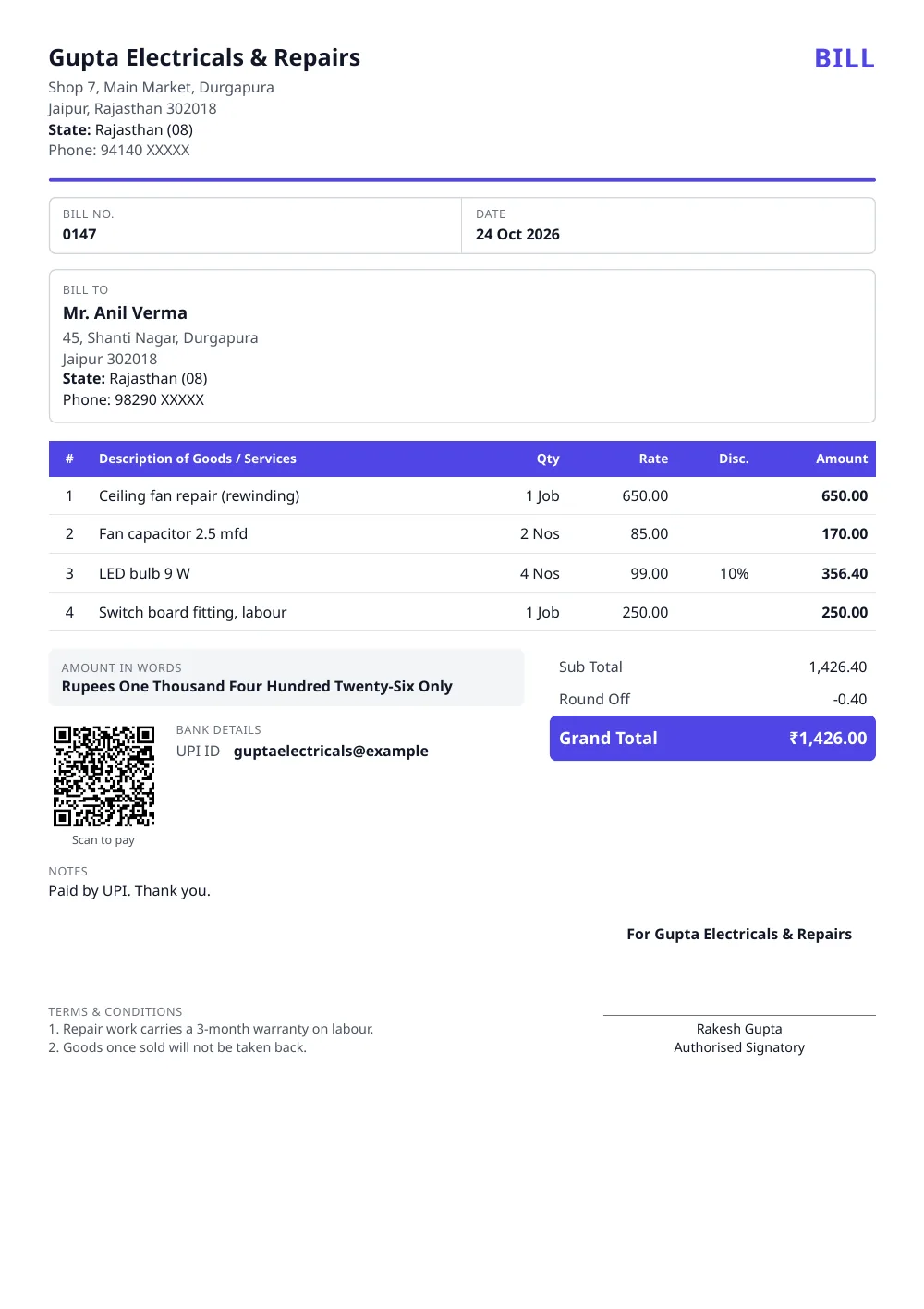
Made with the tool above from made-up details: every name and number in it is invented. Press “See a filled-in example” in the tool to open it there and download it.
What the bill prints
- Your business: name, address, phone, and your logo if you add one
- Bill number and date, in a strip under the heading
- Bill to: the customer’s name, and their address and phone if you give them
- The items: description, quantity with unit, rate, discount and amount
- Totals: the sub total, round-off and grand total, with the amount in words
- Payment: your UPI ID with a scan-to-pay QR for the exact amount, and bank details if you want them
- Terms and a note, such as a warranty on repairs, and the signature
Simple bill, tax invoice or bill of supply?
- Simple bill: for a business that is not registered under GST. No tax is shown, because an unregistered person may not collect it.
- Tax invoice: for a registered business making a taxable sale. It carries the GSTIN, HSN or SAC codes and the GST worked out.
- Bill of supply: for a composition dealer, or a registered business selling exempt goods or services. No tax is shown.
All three are under Type in the form, so the same details make whichever one you need.
Keep a copy of every bill
Download each bill as a PDF and keep it in one folder, or keep the Excel sheet and add each new bill to a copy of it. If a customer comes back for a duplicate, or you need to show your sales later, the record is there. Bills with a running number are easier to keep in order.
Related documents
When the customer pays later, give a payment receipt. To quote a price before the work, use the quotation format. Registered under GST? Use the GST invoice format. A printed UPI QR code for the counter is here too.
Sources
- Central Goods and Services Tax Act, 2017, section 31(1) (tax invoice), section 31(3)(c) (bill of supply) and section 32(1) (no tax to be collected by an unregistered person)
Questions people ask
What should a simple bill contain?
Your business name, address and phone; a bill number and the date; the customer's name; each item with its quantity, rate and amount; the total, also in words; and a signature. This format prints all of these, and the payment details if you add them.
I am not registered under GST. Can I add GST to my bill?
No. Section 32(1) of the CGST Act, 2017 says a person who is not registered shall not collect any amount by way of tax. Leave Type on 'Simple bill, no GST' and the bill shows no tax at all, just the price.
I am registered under GST. Which document do I issue?
A registered business making a taxable sale issues a tax invoice (section 31 of the CGST Act). A composition dealer, or a registered business selling exempt goods or services, issues a bill of supply instead (section 31(3)(c)). Both are under Type in this form, and the GST invoice format page explains what a tax invoice must contain.
Can I download the bill format in Excel?
Yes. Press Excel (.xlsx) above the preview. You get a real spreadsheet with your bill filled in and working formulas: change a quantity or a rate and the line amount, total, round-off and amount in words recalculate. Spare rows already carry the formulas, so the same sheet does for the next bill. It opens in Excel, Google Sheets, WPS Office and LibreOffice, with no macros.
Can I download it in Word?
Yes. Press Word (.docx) above the preview for a file laid out like the PDF, where every word can be edited. Totals in the Word file are plain text, so use the Excel file if you want them to recalculate.
Is a cash memo the same as a bill?
For a sale paid on the spot, yes: a cash memo is the bill a shop hands over at the counter. This format prints the heading 'Bill'. If you want the heading to read 'Cash Memo', download the Word file and change that one word.
Can I print a blank bill to fill in by hand?
Yes. Press 'Blank format' above the preview, or use the blank PDF and Word files linked at the top of this page. The blank has ten item rows and no GST lines, ready to print and keep at the counter.
What bill number should I use?
Any series you like, such as 001 or 2026-27/001. Keep one running series and do not reuse a number, so every bill can be found again later, by you or by a customer asking for a copy.
Can I make the bill in Hindi?
Yes. Switch Document language to हिंदी above the preview. The headings and the amount in words change to Hindi, and what you type, such as item names, prints exactly as you type it.
Is it free, and where are my details kept?
It is free, with no sign-up and no watermark. Your details stay in your own browser, on your device. They are never sent to our server.
Last reviewed: 26 October 2026