
How to use it
- 1Enter your business name, address, phone, email and GSTIN, and add your logo. They are saved on your device, and every other tool on this site fills them in for you.
- 2Add a tagline and your website if you want them, and choose a design: classic, centred or a colour band.
- 3If you are a company, open 'If you are a company' and enter your CIN. The address then prints as your registered office.
- 4Press Download PDF / Print to print letter pads, or Word (.docx) for a template to type letters into.
Letterhead – a filled-in sample
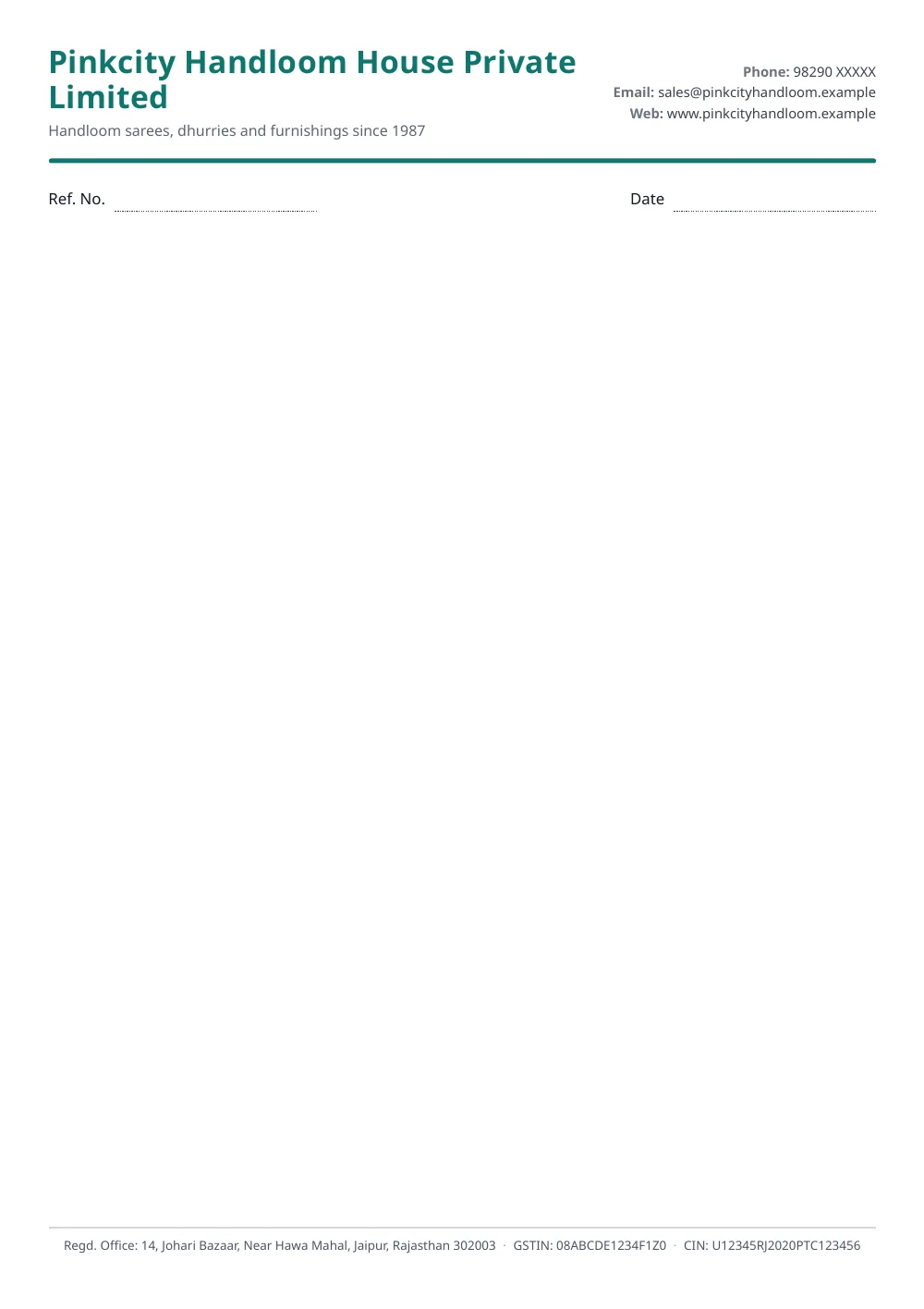
Made with the tool above from made-up details: every name and number in it is invented. Press “See a filled-in example” in the tool to open it there and download it.
What goes where
A letterhead has two parts. The head carries who you are: the name, the logo, a line about what you do, and how to reach you. The foot carries the formal details in one quiet line: the full address, the GSTIN and, for a company, the CIN. Keeping the registration numbers at the foot leaves the top of the page clean for the letter itself.
Every design here follows that split, so you can switch between classic, centred and colour band without anything moving out of place.
If you are a company
Section 12(3)(c) of the Companies Act, 2013 lists what a company must print on its business letters, billheads and letter papers:
- its name, exactly as registered
- the address of its registered office
- its Corporate Identity Number (CIN)
- its telephone number, and its fax number if it has one
- its email address, and its website if it has one
Two provisos add to the list. A One Person Company must print “One Person Company” in brackets below its name, and a company whose name changed in the last two years must print the former name as well. Both have their own fields in this tool.
Under section 12(8) a default costs the company, and every officer in default, ₹1,000 for every day it continues, up to ₹1 lakh each. Registrars do impose it: a letterhead without the CIN and the registered office address has cost a company and its two directors ₹3 lakh.
The CIN is on your certificate of incorporation and on the company’s master data at the MCA portal. It has 21 characters, and the form will tell you if what you typed has the wrong shape.
Using the Word file
The letterhead sits in the header and footer of the Word document. To change it later, double-click the top of the page in Word, or choose Insert › Header › Edit Header; double-click the body again to go back to typing. Save the file once as your template, then open a copy of it for each new letter.
Questions people ask
What should a letterhead have on it?
Your business name and logo, your address, a phone number and an email address, and your website if you have one. A GST-registered business usually adds its GSTIN. The convention is to put the name, logo and contact details at the top and the address and registration numbers in a single line at the foot of the page, which is how this tool lays it out.
What must a company print on its letterhead?
Section 12(3)(c) of the Companies Act, 2013 requires every company to print its name, the address of its registered office and its Corporate Identity Number (CIN), along with its telephone number, its fax number if it has one, its email address and its website address if it has one, on all its business letters, billheads, letter papers, notices and other official publications. A One Person Company must also print the words 'One Person Company' in brackets below its name, and a company that has changed its name in the last two years must print the former name as well.
What happens if a company leaves the CIN off?
Section 12(8) makes the company, and every officer in default, liable to a penalty of ₹1,000 for every day the default continues, up to ₹1 lakh each. It is enforced: in October 2023 the Registrar of Companies at Gwalior penalised a private company and both its directors ₹1 lakh each, ₹3 lakh in all, because its letterhead carried neither its CIN nor its registered office address.
Does a proprietorship or a partnership firm need a CIN?
No. A CIN is issued to companies, and section 12 applies to companies. A proprietorship or a partnership firm has no CIN, so leave that field empty and the letterhead prints your address without the words 'Regd. Office'.
Can I download this letterhead format in Word?
Yes. Press Word (.docx) above the preview. The letterhead goes into the page header and footer of the Word file, not into the body, so it repeats on every page of a long letter and you cannot delete the logo by accident while typing. Click below it and start writing. It is a standard .docx file, the format used by Microsoft Word, Google Docs, WPS Office and LibreOffice.
Can I print it as a letter pad?
Yes. Press Download PDF / Print and print as many copies as you need. The 'Ref. No. / Date' line under the letterhead is ready to fill in by hand; untick it if you do not want it.
Can the letterhead be in Hindi?
Yes. Switch Document language to हिंदी above the preview. The labels become फ़ोन, ईमेल, वेबसाइट and पंजीकृत कार्यालय, and the line under the letterhead becomes पत्रांक / दिनांक. Your name and address print exactly as you typed them.
Is my logo uploaded anywhere?
No. The letterhead, the PDF and the Word file are all made in your browser, and your logo and details are saved only on your own device.
Last reviewed: 14 October 2026